
Documentation: Arctos API
How To Manage Self-Service API Keys (for Users)
After you have requested and have been granted an API Key, you may option or be required to use a self-service API key; these API keys are linked to your IP at time of issue and expire in 24 hours. There are no limits to requesting new keys.
With the information in your request, we will make an agent profile for you in Arctos and ask that you let us know your TACC, Google, or Github account name that you use to access Arctos. An OAUTH login is required; however, you do not need to be a database operator.
Once granted, the user will be able to log into Arctos and go to their Profile located in the dropdown menu under their User name (upper right of the screen), where links to API information and a Get API Key button is available.
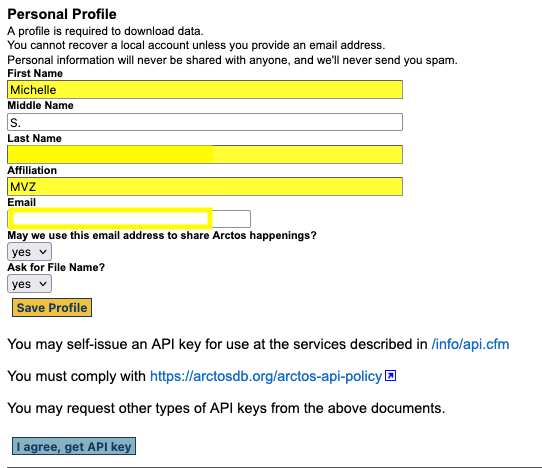
Clicking on the Get API Key button will generate a new key in a table with expiration date.
Edit this Documentation
If something needs to be edited in this document, you can create an issue using the link under the search widget at the top left side of this page, or you can edit directly here.