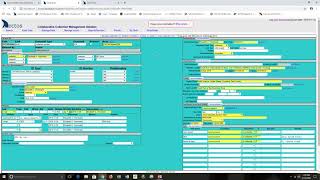
How To: Approve Records Entered With Data Entry Form
Catalog Record/Data Entry Documentation
Navigation: Enter Data > Bulkloader > Browse and Edit
Select the user, accession and collection you wish to approve from the options offered in the “Entered By”, “Accession” and “Collection” columns. Now choose the option you wish to use to review and edit the data.
SQL
** see https://github.com/ArctosDB/arctos/issues/3436 for current values **
- Allows mass updates based on existing values.
- Will only load 500 records at one time.
- Not for the timid.
Use this option if you are fairly certain that the data has been entered correctly and all you need to do is approve the entry. In order to accomplish this, perform the following:
- In the “UPDATE data in table below” area select “Loaded” from the dropdown list.
- Select “NULL” to the right of the “Value” field.
- Select the “Update” button.
This will change all of the “Loaded” fields to “NULL” (that means the field is blank!). Close the page and wait for the files to upload.
AJAX Grid
- Opens an AJAX table. Click headers to sort. Drag columns. Doubleclick cells to edit.
- Saves automatically on change.
- Slow to load. May occasionally not actually save changes; force-reload to confirm.
Use this option if you need to make tweaks to individual fields in individual records. In order to accomplish this, perform the following:
NEED DIRECTIONS
CSV
NEED MORE INFORMATION
How to Approve and Load Records Tutorial Video